ADMIN MENU & COMMANDS
/soulverse (or /sv) opens the SV menu: one place to run the server, with a permission for every part of it.
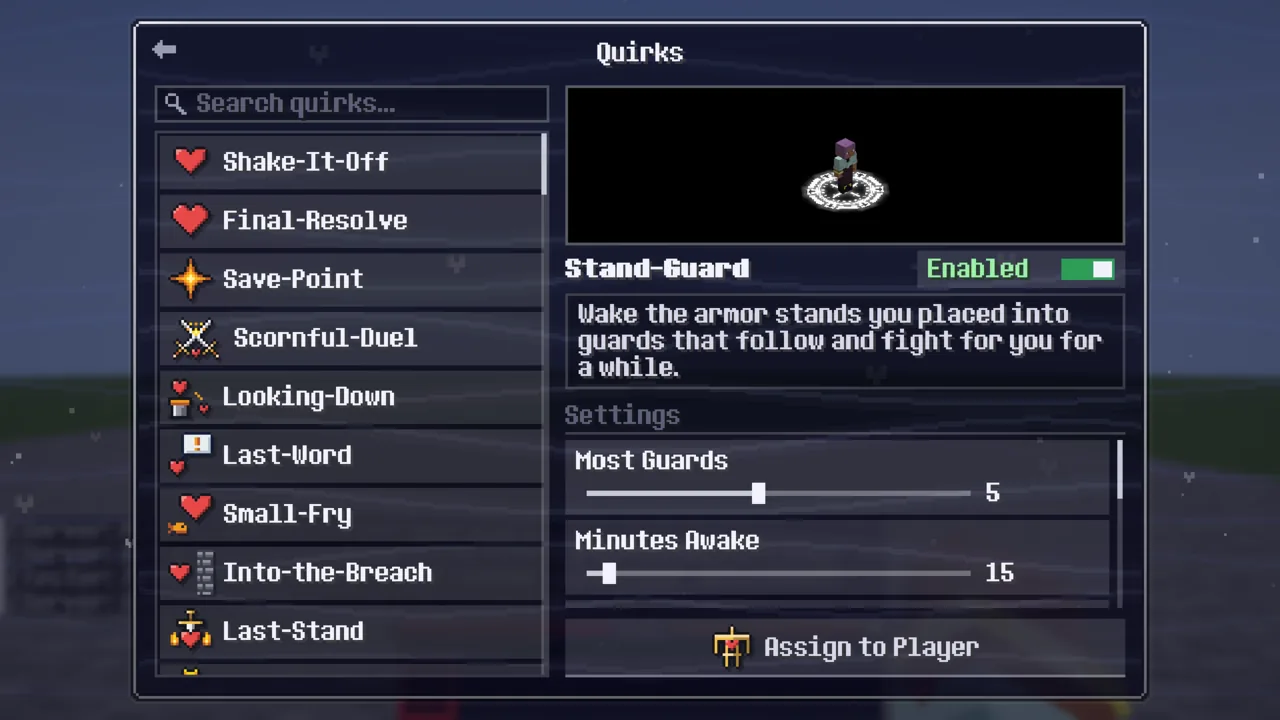
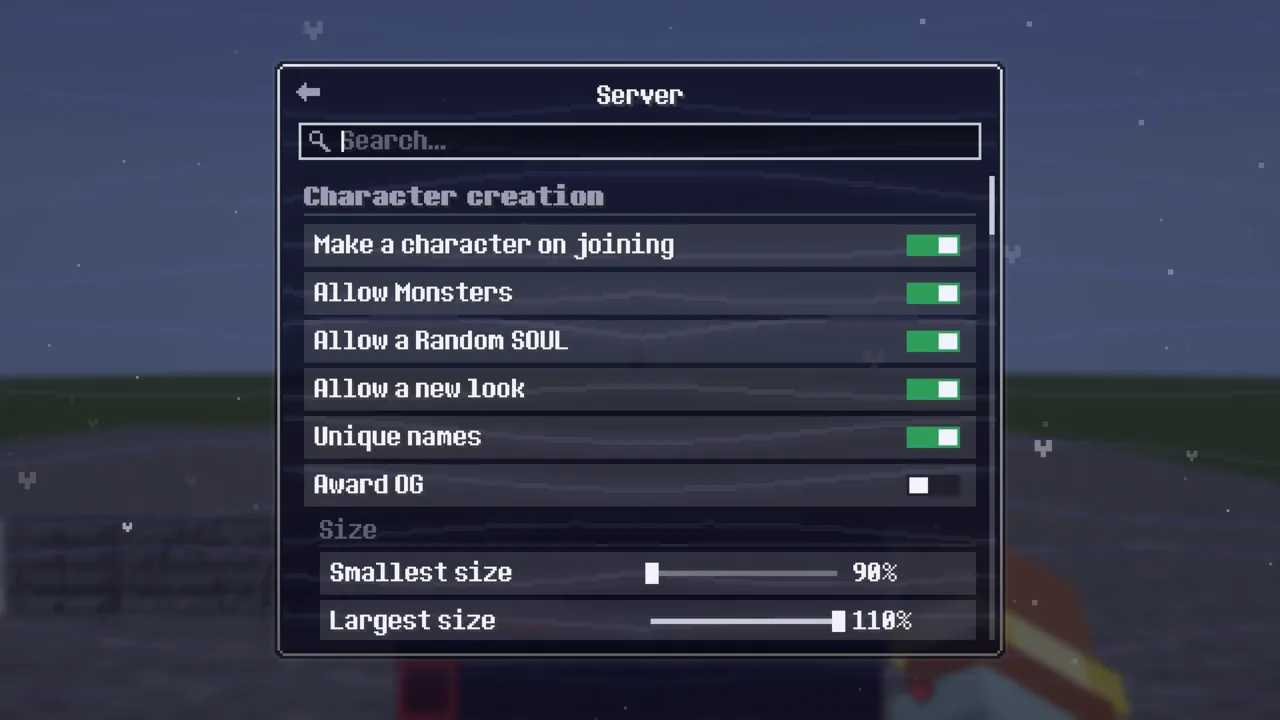
The menu's tabs
- Players: everyone who ever joined, online first. A player's page has their SOUL, name, size, lives and quirks (Edit Quirks), Reset Quirk Waits, their inventory and ender chest (side by side with your own, editable or read-only), spectate, teleport (to them, to where an offline player last was, or them to spawn), kick, ban and temp-ban, mute and deafen, Simple Voice Chat ban and volume, possession of them, their trials and their log.
- Server: every rule with a switch or a slider, grouped by category, with a search. Settings Presets... is its first row; Mod Configs is at its top right. See Server settings.
- SOULs: every SOUL and how it is set: enabled, unavailable, hidden or disabled.
- Quirks: every quirk grouped under its SOUL, with its live preview, its switch, its short words and its settings, and Assign to Player.
- Trials: every trial, switched on or off one by one, its steps' counts and its reward. See Trials.
A "Restart required" line shows on every page while a setting that needs a restart has been changed.
Commands
| Command | What it does |
|---|---|
/soulverse, /sv | Open the SV menu |
/sv reload | Read Soulverse's settings and every player's file again |
/sv server <option> [value] | See or change a Server tab setting |
/sv souls [<soul> <mode>] | List the SOULs, or set one enabled, unavailable, hidden or disabled |
/sv presets [list], /sv presets apply <id>, /sv presets save <name> | Settings presets |
/sv players info <player> | A player's SOUL, lives, quirks and more |
/sv players soul <player> <soul> | Set a player's SOUL |
/sv players prompt_soul <player> | Ask a player to choose a new SOUL |
/sv players name <player> <name>, /sv players size <player> <percent> | Set a character's name or size (90–110) |
/sv players quirk add|remove <player> <quirk> | Give or take a quirk |
/sv players resetwaits <player> | Every wait of their quirks gone at once |
/sv players unbind <player> | Free a ghost bound by Soul-Bound |
/sv players trial grant|reset|reveal|progress <player> <trial> | A player's trials (grant … force past a group's limit, reset … take takes the reward back) |
/sv players inventory|enderchest <player> | Look into (and edit) their inventory or ender chest |
/sv players tp|tp_offline|tp_spawn <player> | Teleport to them, to where they were last, or send them to spawn |
/sv players spectate <player> | Watch them |
/sv players kick|ban|unban|tempban <player> … | Moderation (tempban <player> <time> [reason]: 1d, 2h30min, 1m = a month) |
/sv players mute|unmute chat|vc <player> [time] | Mute for everyone |
/sv players deafen|undeafen|vcban|vcunban <player>, /sv players vcvolume <player> <percent> | Simple Voice Chat moderation |
/sv players log <player> | Their log |
/mute chat|vc <player>, /unmute …, /vcmute <player> | Mute someone for yourself only |
/globalmute <player> [time] [chat|vc|all], /globalunmute <player> | Mute one player for everyone (chat and voice unless you say which; no time means until unmuted) |
/tempban, /deafen, /undeafen | Shortcuts for the same |
/gamemode ghost [players] | Make someone a ghost |
Players can be named by their chosen name, their username, their UUID or a selector.
Permissions
Every part of the menu and every command has its own permission, soulverse.<path>, checked through Fabric's permission API, so LuckPerms (or another permission mod) can grant or deny each one, and a whole group at once with a wildcard:
/lp group moderator permission set soulverse.players.* true
/lp group admin permission set soulverse.server.* true
Without a permission mod, operators have everything and everyone else only opens the menu and mutes for themselves. Without a permission the menu still shows the option, greyed out, and the server refuses it too.
| Group | Permissions |
|---|---|
| Everyone and the commands | soulverse.menu soulverse.mute soulverse.reload |
| the Server tab | soulverse.server.view soulverse.server.creation soulverse.server.names soulverse.server.gameplay soulverse.server.expansions soulverse.server.souls soulverse.server.lives soulverse.server.quirks soulverse.server.moderation soulverse.server.voice_chat soulverse.server.ghost soulverse.server.possession soulverse.server.presets |
| the Mod Configs menu (the Server tab's top right) | soulverse.modconfigs.view soulverse.modconfigs.edit |
| the SOULs tab | soulverse.souls.view soulverse.souls.edit |
| the Quirks tab | soulverse.quirks.view soulverse.quirks.assign |
| the Trials tab (the datapacks' trials, see trial/Trials) | soulverse.trials.view soulverse.trials.edit |
| the Players tab and each player's page | soulverse.players.view soulverse.players.page soulverse.players.quirks soulverse.players.waits soulverse.players.inventory.view soulverse.players.inventory.enderchest soulverse.players.inventory.edit soulverse.players.spectate soulverse.players.moderation soulverse.players.souls soulverse.players.cosmetic soulverse.players.lives soulverse.players.tp soulverse.players.tp_offline soulverse.players.tp_spawn soulverse.players.mute soulverse.players.deafen soulverse.players.voice soulverse.players.possession soulverse.players.log soulverse.players.trials |
| not menu access | soulverse.ghost.see soulverse.spectators.see soulverse.ghost.see_chat soulverse.freecam.allowed soulverse.legends.edit soulverse.ghost.possess_infinite soulverse.possession.immune |
Every permission, what it allows and who has it by default
Files and logs
- Soulverse's files are in
config/soulverse/(before 0.3.0 inmods/soulverse/, moved over by itself):soulverse-server.json(the Server tab), one<username>.jsonper player,profanity-filter.txt,presets/,trials.json, and the settings for other mods. In singleplayer, each world has its own folder underconfig/soulverse/singleplayer/. - A player's file can be edited by hand; it applies on
/sv reloador a restart. Changes from the menu apply at once. - Logs in
config/soulverse/logs/<username>.log: kills of players, named mobs and pets, deaths with the damage taken in the last 30 seconds, advancements, dimension changes, private messages, ghost chat, SOUL, name and username changes (with who made them), lives, and who opened whose chests and what they took. Read them from a player's page or with/sv players log.
Simple Voice Chat
With Simple Voice Chat installed: mutes, deafening, voice chat bans and per-player volume from the menu; ghosts' voices (with the ghost filter); a possessing ghost speaks from whatever it possesses; players hidden from ghosts aren't heard by them.
Mod Configs and player maps
Mod Configs (top right of the Server tab) changes the settings of the server's other mods from the menu: each mod's config files with switches, sliders, choices and defaults, a note when a restart is needed, and pages of their own for Strapped, Kaleidoscope Cookery's food effects, Kaleidoscope Tavern's drinks and barrel aging, and Kaleidoscope Nether's skull changes.
Player Map Settings decides what players' map mods may show (Diorama, Xaero's Minimap and World Map, JourneyMap): the minimap, caves, the Nether, radar for each kind of mob and for players, its range, spawn spots, slime chunks and coordinates, for all of them at once or each on its own. Fair Play turns off everything that gives away what you can't see.